how to play
How to play Space Swoosh
One tap. That is the whole control scheme. Everything below is about what you do with it, so you fly a little farther every time.
Steer with one tap
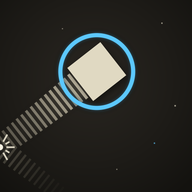
Your ship climbs on its own, always flying at an angle. Tap anywhere on the screen and it flips to lean the other way. On a computer, click or press Space. The arrow keys work too. There is no hold, no swipe and no joystick.
The side walls are soft. Touch one and you bounce off with a BOOP. The thick black barriers are different. Those end the run. Steady, early taps beat frantic late ones, so plan your turns a little ahead.
Chase the blue
Your ship burns fuel as it flies, and the blue four-point sparkles are that fuel. Fly close to one and it locks on and slides into you with a small chime. Miss too many and the engines sputter, coast, and finally stop. Blue is always safe to touch. It is the only warm thing out here.
Snap on a shield
The pulsing blue plus is a shield. It lasts five seconds, and while it is up you tear straight through asteroids instead of crashing into them. Every rock you smash counts. The shield pulses faster just before it runs out, so pick your moment.
Thread the gap for a SWOOSH
Slip between two obstacles with almost no room to spare and SWOOSH flashes across the screen, worth 15 style points. Clip either side and the run is over. Risky, stylish, worth it.
Portals, black holes and the rest
- Portals are hollow, spinning blue rings. Fall through one and you come out farther ahead with a fresh shield. Aim for the ring itself, because the rocks around it still hurt.
- Black holes pull you in. Swing wide of them and do not let the pull drag your line.
- Wind shows up as thin flowing dashes and pushes your ship sideways.
- Stranger things arrive the farther you go, from spinners and lightning to meteor showers. Each one appears on its own first, so you get to learn it.
Journey: 42 days, three stars each
Journey is the story mode. Each day is a short flight with a distance goal, and NAV speaks before you launch. The first days teach one thing at a time: the turn, then rocks, moving rocks, fuel, and finally the shield.
- Reach the distance goal for the first star.
- Collect enough blue sparkles for the second.
- Smash enough asteroids with a shield for the third.
Stars add up across attempts, so you can go back for the one you missed.
Open Space and the Space Board
Open Space is the endless run. Fly as far as you can. When it ends you see your distance and where it would rank.
- Tap Publish Score on the end screen.
- Type your call sign and send it.
- Open Space Board from the main menu to see where you landed.
A top 10 run asks for your call sign on its own. The flying works offline, but publishing a score needs a connection.
Tips for longer runs
- New to the game? Start with Journey. It introduces one idea at a time.
- Do not chase every sparkle into a wall of rocks. Fuel is not worth a crash, but ignore the blue for too long and the tank runs dry.
- When a shield is up, go looking for rocks. It is the fastest way to the smash star.
- Tight corridors pay style points. Take them when the line is clean, skip them when it is not.
- Use the walls. A bounce is free, and it often lines you up for the next gap.
Questions
Is Space Swoosh free?
Yes. Journey and Open Space are free to play, with no ads. Some ships are optional purchases, and they are cosmetic only.
Does it work offline?
Yes. The iPhone and Android apps fly without wifi or data. You only need a connection to publish a score to the Space Board.
Is it pay to win?
No. Every ship flies the same, with the same speed and the same turns. Buying a ship changes how you look, not how far you go.
Where can I play?
On iPhone and iPad from the App Store, on Android from Google Play, and in any modern browser at spaceswoosh.app.
Can I change the controls?
Zigzag is the default. Finish the Journey and Arc unlocks under Options, then Controls. Arc steers in smooth curves instead of sharp flips, and it has its own Space Board.
Do I need headphones?
No, but they help. NAV's voice, the music and the small sounds of the ship are a big part of the game.
Headphones recommended
Turn left. Or right. Or become debris.
Want the bigger picture? Read about Space Swoosh.